 RSS
RSS
Check out Linux Mint at linuxmint.com.
Screenshots can be found here


Check out Linux Mint at linuxmint.com.
Screenshots can be found here

Unix and Linux commands are very peculiar and at times cryptic. It matches the idiosyncratic humor of the geeks who designed it.
Here are some commands and utilities rendered literally in pictures:
1. time


Youtube-dl
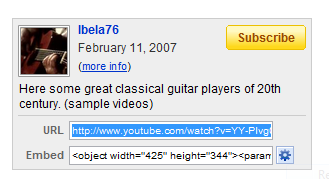
 Somebody asked me how to download youtube videos using the command line. This post is her answer or to anyone who doesn't want to use the proprietary Flash plugin (A replacement for flash is Gnash,a free and opensource flash player, which is, I think, better the Flash), for security or ideological reasons. Another reason may be you are bandwidth impaired like me or just want to watch youtube videos at your own leisure. Youtube-dl also works in Windows: follow this link for further information, The following instructions has been tested in Linux but could easily be applied to the MacOS or any Unix-like operating system.
You will only need Python 2.4 or greater installed to run the script, which is included by default in most Linux distributions.
First you need to install the script. Download the latest tarball from
http://bitbucket.org/rg3/youtube-dl/get/tip.tar.gz.
you could use wget by typing in a terminal:

It's fascinating to see how far we've gone with web design and technology during the past decade. The following are screenshots I've taken 10 years back coupled with the their present iterations. This is just part 1, so come back for more.


